How to Print Your Veteran's Memorial Card

How to Print Your Veteran's Memorial Card

Как распечатать мемориальную карточку ветерана

15 April 2026Admin
Contents · 3
  1. 01Step-by-step
  2. 02Tips for the march
  3. 03If your veteran doesn't have a profile yet

A step-by-step guide to printing a portrait card for the Victory Day march. Available from any veteran profile page.

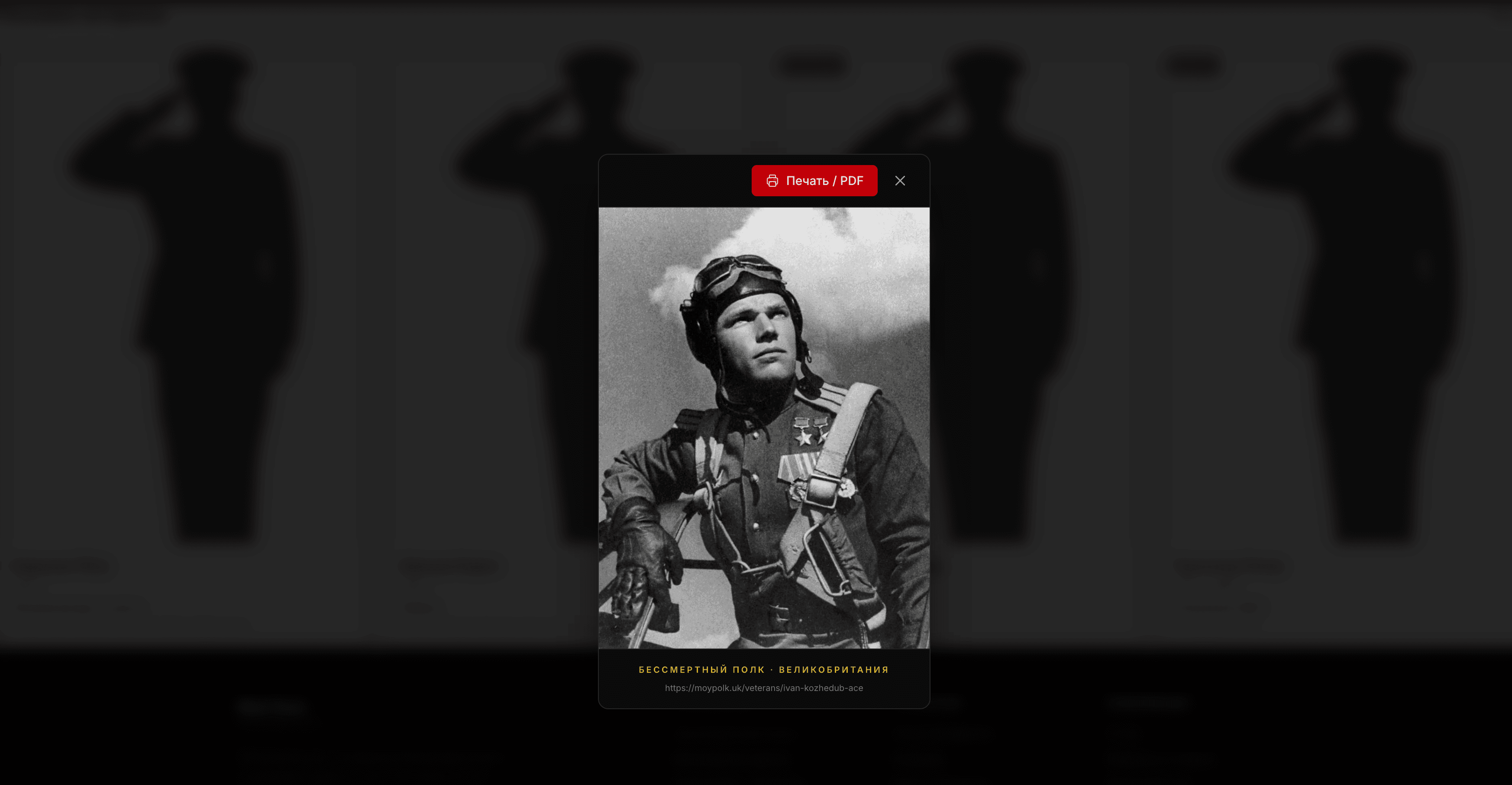
Every veteran profile on moypolk.uk includes a "Print Memorial Card" button that generates a high-quality portrait card suitable for carrying during the Victory Day march or holding at home during the virtual march. The card is built automatically from the profile data — no design work needed.

Step-by-step

  1. Navigate to your veteran's profile page at moypolk.uk/veterans/<slug>.
  2. Click the "Print Memorial Card" button.
  3. A print-ready card is generated with the veteran's photograph, name, rank, and years of service.
  4. Use your browser's print function (Ctrl + P on Windows / Cmd + P on macOS) to print.
  5. For best results, use A4 card stock or thick paper rather than ordinary printer paper.

Tips for the march

  • Laminate the card — protects the portrait from rain. May 9 in the UK is unpredictable.
  • Attach it to a wooden dowel or stick for easy carrying during the procession or while standing at the ceremony.
  • Print extra copies to share with family members travelling separately or attending different events.

If your veteran doesn't have a profile yet

You can submit one through the dashboard. Profiles are reviewed and approved within 24–48 hours. See the How to Add Your Veteran in 5 Minutes guide for the full registration walkthrough.

Preserve a memory

Do you have a veteran in your family? Add their story to the Immortal Regiment registry.

+ Add a Veteran